Follow members, bills, committees, races and markets
On this page
Following lets you build a short list of the things in Politics that matter to you: members of Congress, bills, committees, races and prediction markets. The Following page then brings together what has changed on them: new votes, new actions on a bill, big moves in the odds, and the coverage that names them.
For following across 4Search as a whole, see Following on 4Search.
#Follow something
A star or a Follow button appears wherever you can follow something: beside a member's name in the Members lists, on each row of the Bills and Committees lists, on the race tables of the Elections page, on each market card, and on the page of a member, a bill, a committee or a race.
- Open the page of the thing you want to follow, or find it in a list.
- Select the star, or the Follow button. The button changes to Following and a short message confirms it.
- The first time, a box may ask you to enable cookies. See Saved preferences below.
- Open Following in the row of Politics sections to see your list. The number beside it counts what you follow.
To stop following, select the star or the Following button again. On the Following page, the star beside an item removes it at once.
#Add from the Following page
You can also build the list from the Following page itself. Type a few letters in the box that reads Add a member, committee, bill, race or market. Matches appear under the box: members, committees by name, races, bills by number or title, and markets. Select the star on a match to follow it.
#The Following page
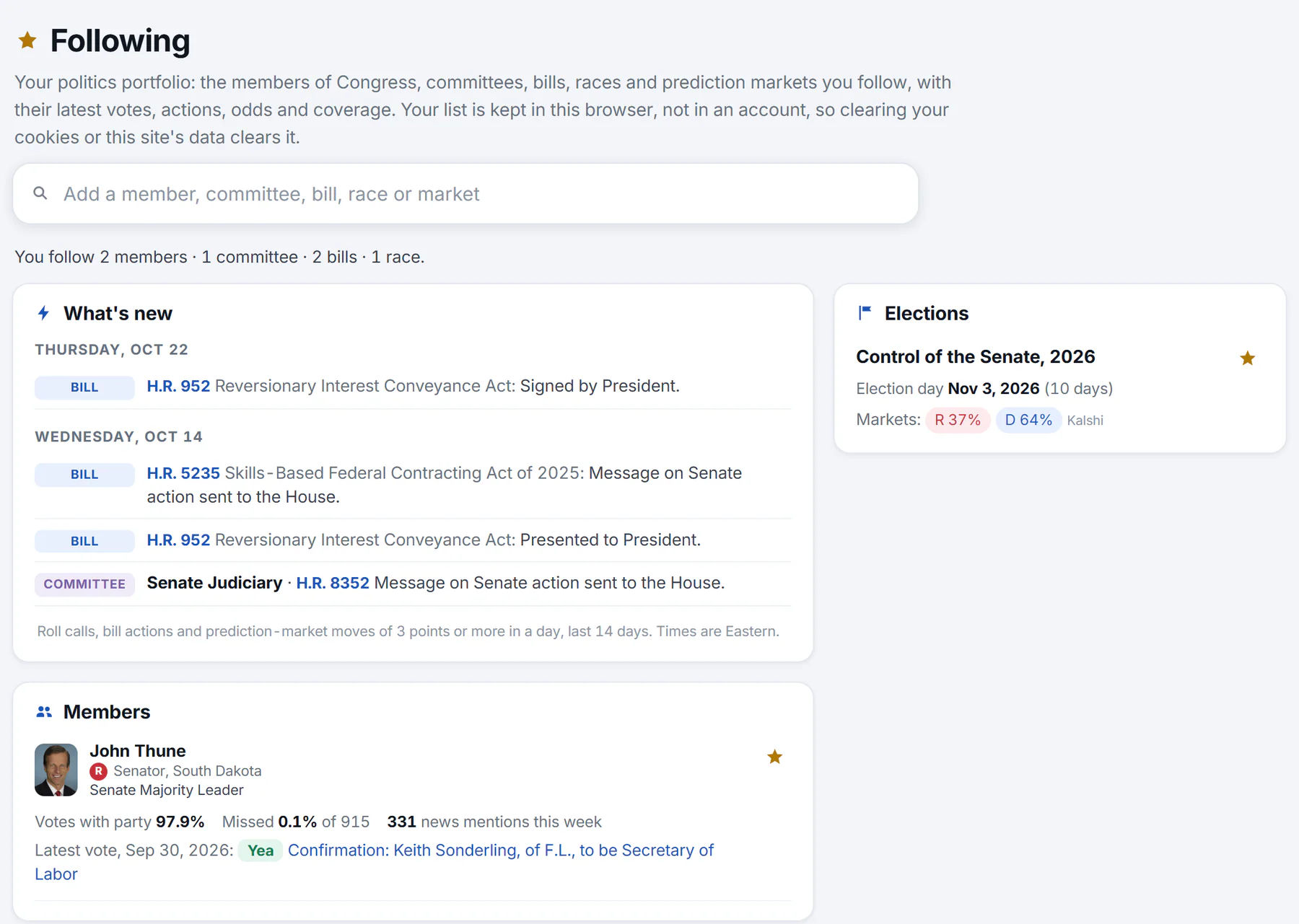
The Following page with a few things followed. The summary counts them, What's new lists recent changes, and a card appears for each kind of thing.
- 1What you follow, counted
- 2What's new: votes, bill actions and big market moves from the last 14 days
- 3A card for each kind of thing you follow
- 4Star: stop following
- The summary counts what you follow, for example You follow 2 members · 1 committee · 2 bills · 1 race.
- What's new lists, day by day, the roll calls your members voted in, the actions on your bills, the bills before your committees and the markets that moved 3 points or more in a day, over the last 14 days. Each is labeled Vote, Bill, Committee or Odds, and the times are Eastern.
- Members shows each member's votes-with-party and missed percentages, how often the news named them this week, their latest vote and, when their seat is up, the odds for it.
- Bills shows each bill's progress tracker, its latest action and any market on it.
- Committees shows the chair and ranking member and the latest on the bills before the committee.
- Elections shows each race you follow, with the election date, who holds the seat and the markets.
- Prediction markets shows the markets you follow with their trend lines.
- In the news shows headlines that name what you follow, for the things you followed most recently.
The Politics overview also adds a Following card at the top of its side column once you follow something. It shows up to eight of your items and a link to the Following page.
#Before you follow anything
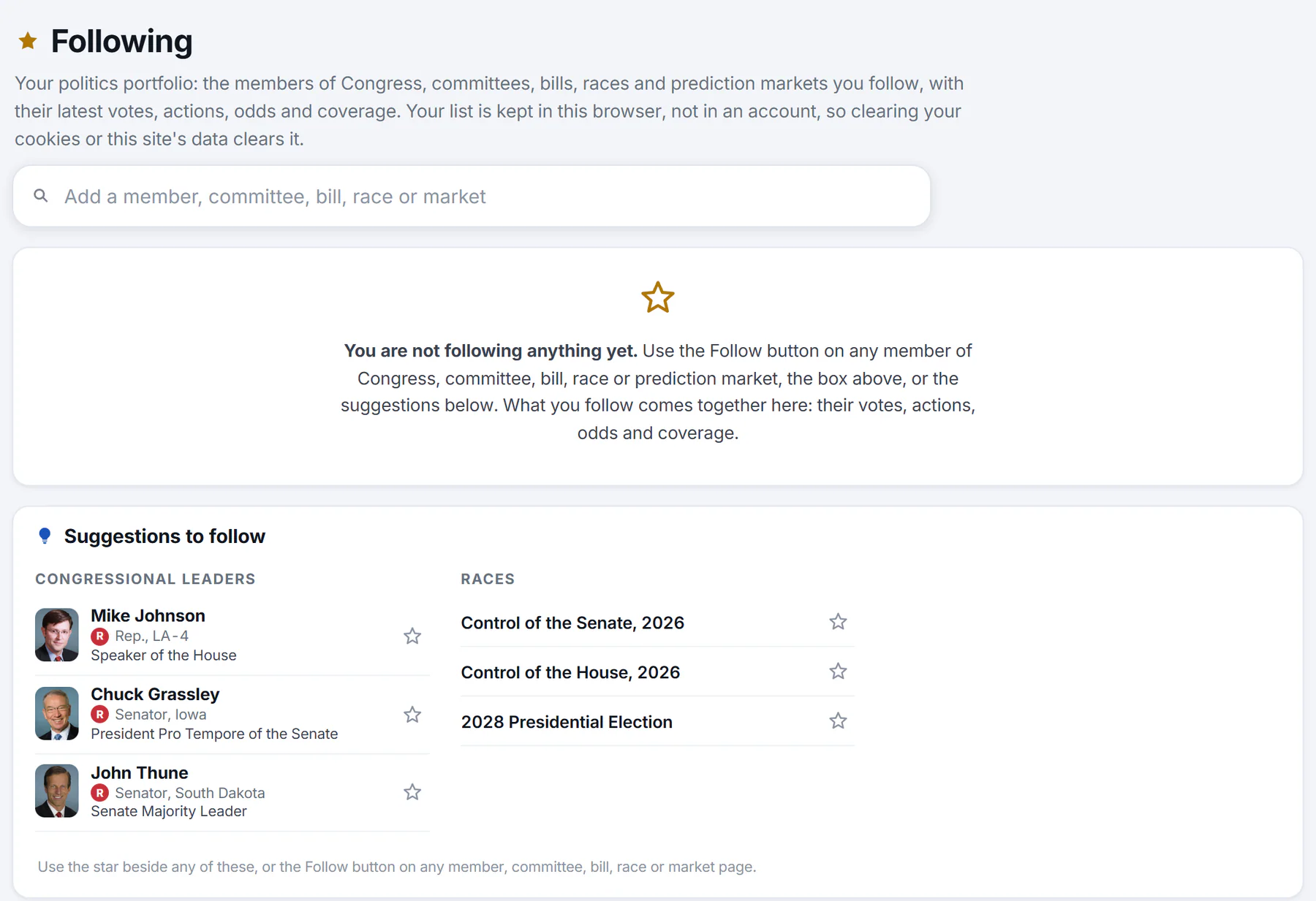
Before you follow anything, the page explains how and offers suggestions: congressional leaders, races, bills on the move, committees and the most traded markets.
- 1Find a member, committee, bill, race or market to follow
- 2What you see until you follow something
- 3Star: follow a suggestion
- 4The Follow button on any page does the same
An empty list shows a short note and a Suggestions to follow card. Select the star beside any suggestion to follow it.
#Saved preferences
Your list is kept in this browser, not in an account. That needs the optional Saved preferences choice in your privacy settings, which also keeps your Finance watchlist and chart settings. The first time you follow something without it, a box asks.
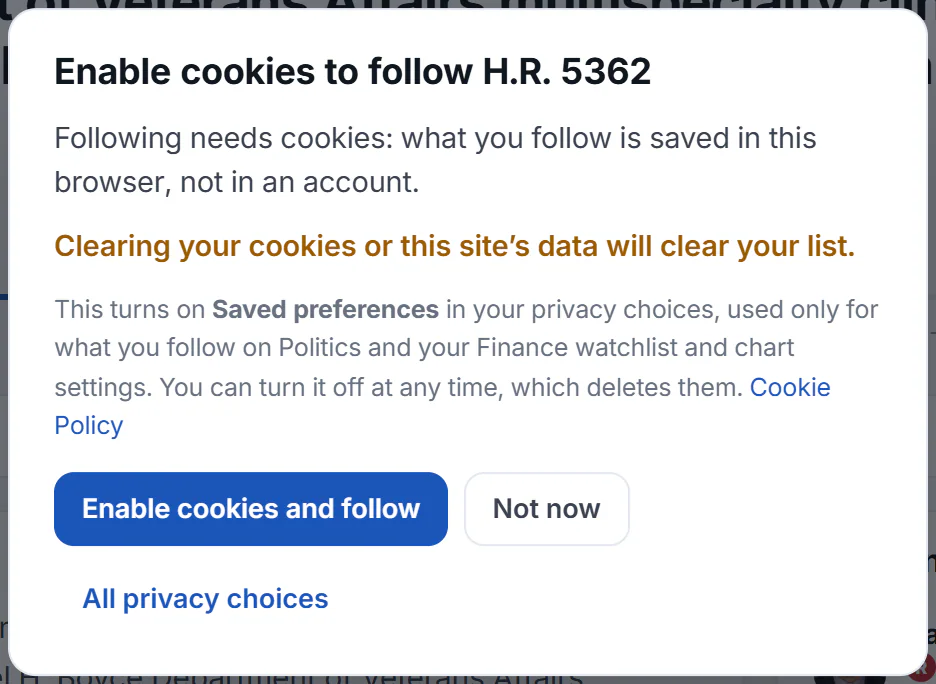
The box that asks you to enable cookies. It names what you were about to follow.
- 1What the box is for
- 2The list stays in this browser
- 3Turn on Saved preferences and follow
- 4Review all your privacy choices
Select Enable cookies and follow to turn on Saved preferences and follow the item. Select Not now to leave the choice as it is, or All privacy choices to review every choice in Your Privacy Choices. You can turn Saved preferences off at any time, which deletes what was saved. See Saved preferences for what else it keeps.
#Common questions
Do I need an account to follow?
No. Your list is kept in your browser. There is nothing to sign in to.
Why does a box ask me to enable cookies?
Following saves your list in your browser, and that is one of the optional choices in your privacy settings, called Saved preferences. Until you turn it on, nothing can be saved. Select Enable cookies and follow, or Not now to leave it off.
Will my list appear on my phone or another computer?
No. The list stays in the browser where you made it. Following on another browser or device starts a new list.
Why did my list disappear?
Clearing cookies or site data deletes it, and so does turning Saved preferences off. A different browser, or a private window, has its own list.
Can I follow a vote, an executive order or a topic?
No. You can follow members, committees, bills, races and markets. To follow topics, see Follow topics.
Will I get alerts or emails?
No. Politics does not send alerts. Open the Following page to see what changed.
What does "no longer found" mean?
The page tells you when something on your list cannot be found any more, for example a market that has closed. A button removes those items from your list.