Read the Finance overview
The Finance overview is the page you land on when you select the Finance tab. It answers one question: how is the market doing right now, and what is behind it?
#Markets today
The first card is the market at a glance.
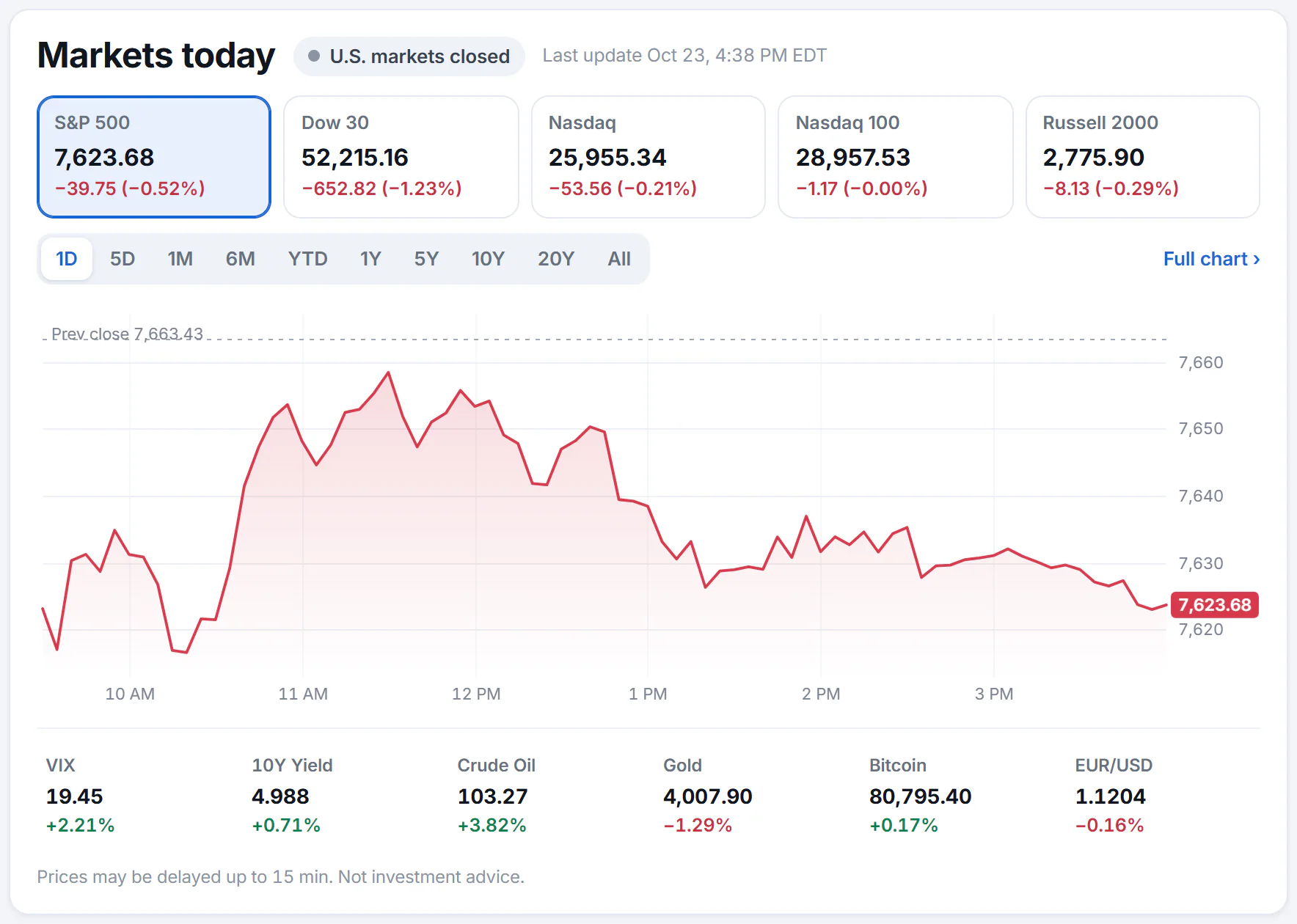
The Markets today card. Select an index to chart it, and a range to change how far back the chart goes.
- 1Whether U.S. markets are open
- 2Select an index to chart it
- 3Chart ranges, from one day to all time
- 4Open the full chart
- 5Volatility, yields, oil, gold, bitcoin and the euro
- The label at the top says whether U.S. markets are open, in Pre-market trading, in After-hours trading or closed, and when the numbers were last updated.
- The five buttons are the S&P 500, the Dow, the Nasdaq, the Nasdaq 100 and the Russell 2000. Select one to draw its chart. Each shows its level and how much it has changed today.
- The range buttons run from 1D (today) to All (as far back as there is data). The chart works as it does on a stock's page; see Price charts.
- Full chart opens the page of the index you are charting.
- The six smaller quotes under the chart are the volatility index, the 10-year Treasury yield, crude oil, gold, bitcoin and the euro against the dollar. Select one to open its page.
Prices on the page refresh by themselves while the page is open, and a price flashes green or red when it moves. They are still delayed by up to 15 minutes. See How fresh the data is.
#The cards below
After the AI market summary (see The AI market summary), the main column continues with:
-
Top stories: financial headlines from the 4Search news index, edited outlets first and newest first. Small ticker chips under a story link to the companies it mentions. A Positive or Negative label shows the tone of the article where the index has read one.
-
Market movers: tabs for Gainers, Losers, Most active and Trending. All movers opens the full lists; see Market movers.
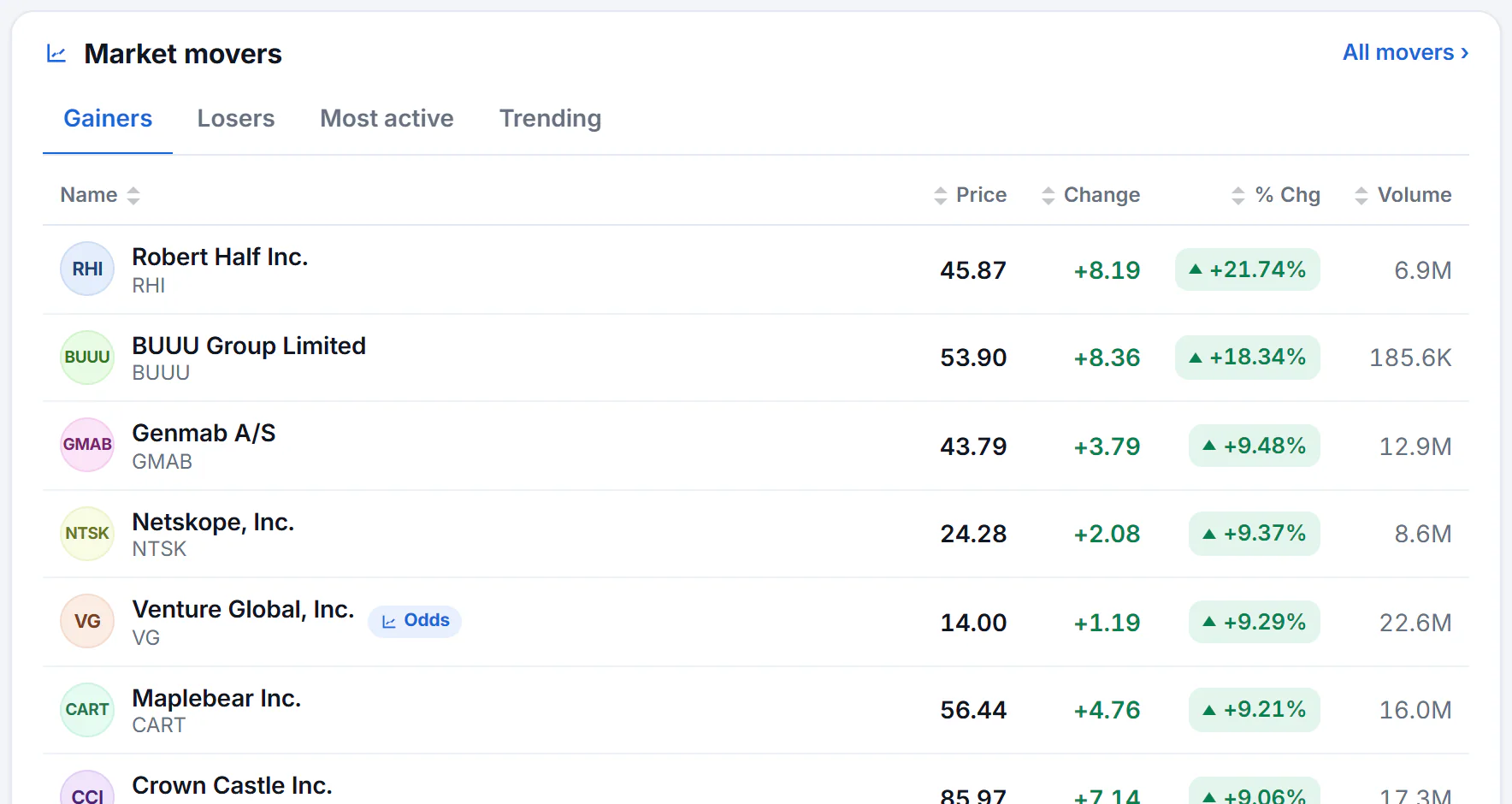
Market movers on the overview. Select a column heading to sort, or a row to open that stock.
- 1Gainers, Losers, Most active and Trending
- 2Open the full Movers page
- 3Select a column heading to sort
- 4Select a row to open that stock
-
Most mentioned: the companies and markets the news is writing about most, over the last 24 hours, 7 days or 30 days. In the news opens the full page; see In the news.
-
Sectors: eleven colored tiles, one for each part of the stock market, from the strongest to the weakest today. See Sectors.
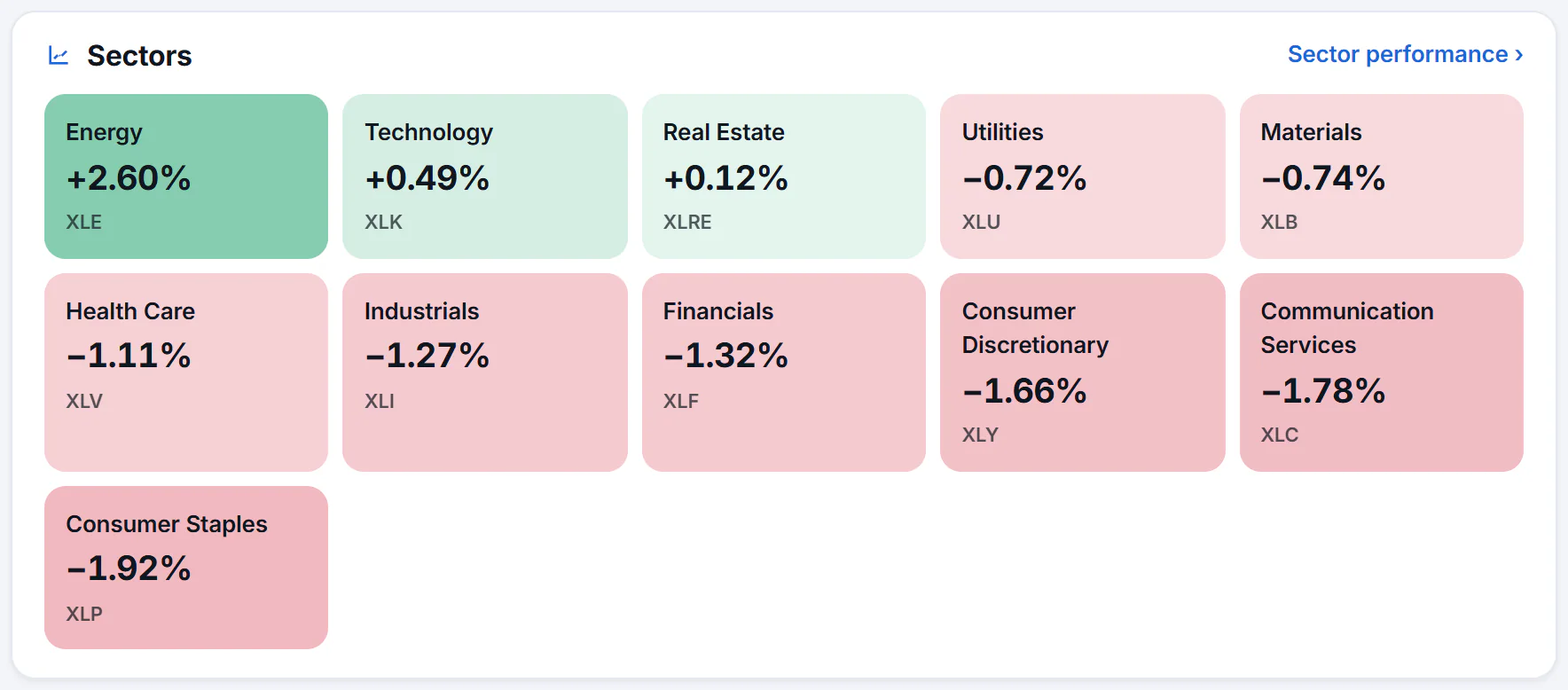
Green tiles are up today, red are down. The deeper the color, the bigger the move.
- 1The strongest sector today
- 2The weakest
- 3Sector performance over longer periods
-
Prediction markets: what traders expect for the next Fed decision, a recession, the next inflation reading and the S&P 500. See Prediction-market odds.
-
World markets: tabs for the Americas, Europe and Asia-Pacific. All indexes opens the full list; see Indexes.
-
More financial news: tabs for Economy, Earnings, Deals & IPOs, Tech and Crypto.
#The right-hand column
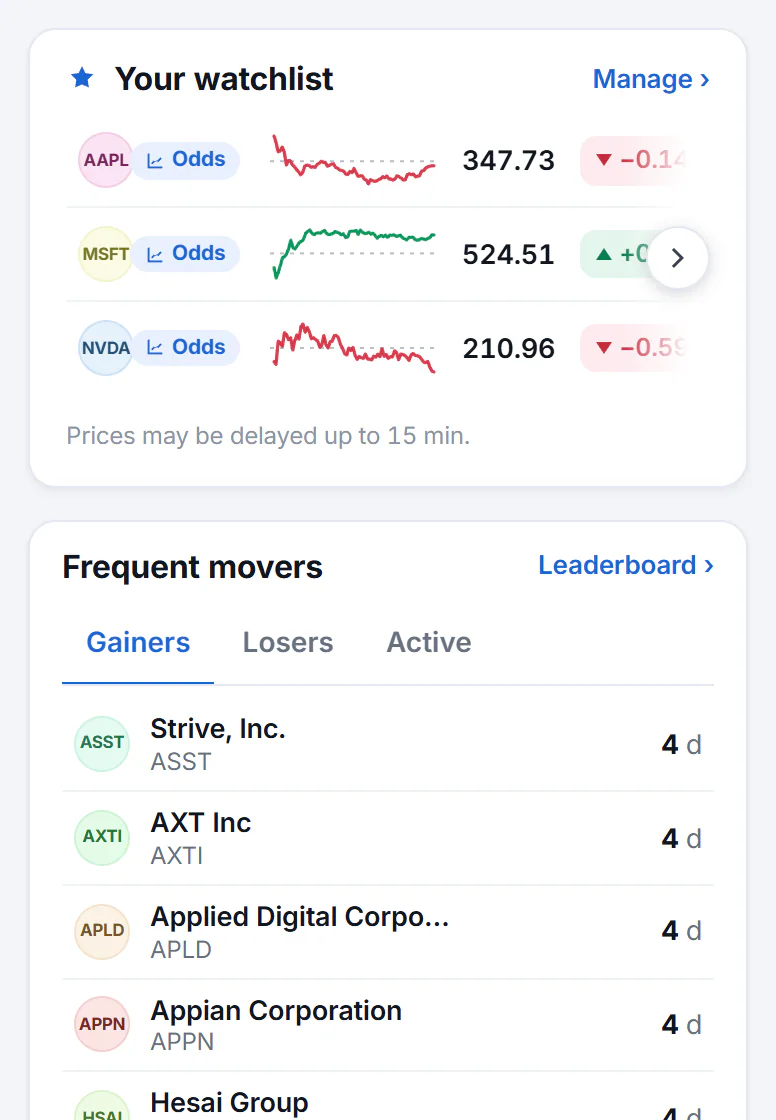
The side column holds your watchlist and shorter lists of other markets.
- 1Your watchlist, kept in this browser
- 2Manage the whole list
- 3Frequent movers: days on a daily list
- Your watchlist shows the stocks you follow, with prices and small charts. Manage opens the full page. See Your watchlist.
- Frequent movers shows which stocks have been among the day's top gainers, top losers or most active on the most trading days of the last 30. Each number is a count of days. See The Leaderboard.
- U.S. futures, Rates, Commodities, Currencies and Crypto list the main gauges in each market, each with a link to its full page.
- Earnings today lists the companies reporting today and whether they report before the open or after the close. See The earnings calendar.
- Economy shows the latest inflation rate, unemployment rate, Fed funds rate and 10-year yield. See The U.S. economy.
#Common questions
Why does it say the market is closed?
U.S. stock markets trade on weekdays during set hours, with shorter sessions before the open and after the close. Outside those hours the overview shows the last prices and says when they were set. Bitcoin and other coins trade around the clock, so their numbers keep moving.
The overview did not change when I came back to the tab. Why?
Prices refresh while the page is open and you are active, and they pause after you have been away for a while. A Resume button appears when that happens. See How fresh the data is.
Can I choose which indexes the strip shows?
No. The strip and the five index buttons are the same for everyone.